
A commercial storyboard turns a script or ad idea into a shot-by-shot visual plan. It helps you see the story before filming, agree on what each shot needs to show, and catch gaps while changes are still easy.
What a Commercial Storyboard Shows
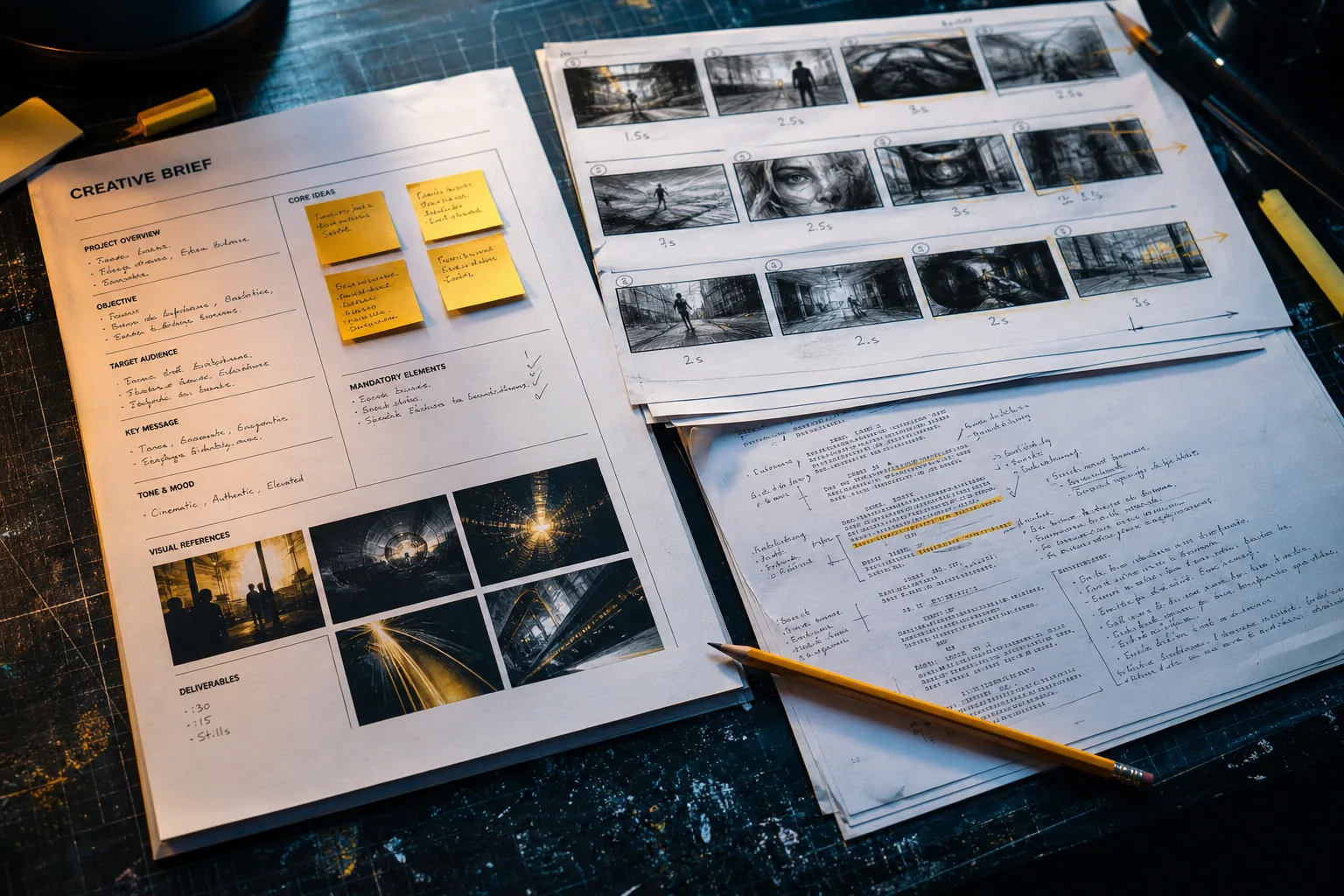
A commercial storyboard is a set of panels that maps an ad’s key shots in order. Each panel gives the team a shared view of what the audience should see at that moment. It’s a visual plan, not a finished edit.
A useful board pairs each image with notes that help someone make the shot. Those notes often cover the action, framing, camera movement, dialogue or voiceover, and timing. Add brand details when they affect the frame, such as where a logo appears or how the product is held.
The board also makes pacing easier to judge. If the first few panels take too long to reach the product, the team can rethink the opening before production. If a line of voiceover has no clear visual, the gap is right there on the page.
For a basic starting point, a storyboard generator for ad concepts can turn a brief or script into a visual draft. M Studio says it can plan shots from an idea or pasted script, then draw a storyboard with the same characters in each frame.
A board doesn’t need polished art to do its job. Simple sketches, photo references, or generated images can all work if the shot is clear. The goal is to help the team agree on what will appear, not to make every panel look like a finished frame.
For ad teams, M Studio also connects storyboards with video creation and sound. That can help when the pitch needs to show more than a sequence of stills, but a board remains useful even when the final production uses a different workflow.
From Creative Brief to Storyboard
Start with the brief, not the pictures. A board can’t fix a campaign idea that has no clear audience, message, or action. Before you sketch, make sure you can say what the ad needs people to understand or do.
Next, read the script aloud and mark the story beats. Many ads move through an opening hook, a problem or need, the product’s role, and a final call to action. The shape can change, but every beat should earn its place in a short spot.
Break the script into shots. A new visual action often calls for a new panel, even if the scene stays in the same place. For each panel, note the subject and what changes on screen. Then add timing so the voiceover and action fit the ad’s run time.
Choose a visual for each shot. Draw it, use a photo reference, or generate a rough image. Add camera notes only where they help the crew understand the intent. A close-up of a product may need a note about the detail to feature; a moving shot may need an arrow or a short direction.
Free printable layouts can be handy when you want to work on paper or share a plain PDF. M Studio’s storyboard templates and generator include printable panels as well as AI-created boards. Pick a layout that gives each frame enough room for the image and the notes people need.
Then review the board in order. Read the spoken words while someone else follows the panels. If the message and visuals don’t line up, revise the script or the frame. Keep versions labeled so reviewers can tell which draft they’re discussing.
M Studio’s site describes a workflow that starts with a typed idea or script, plans shots, and produces a storyboard before making video with sound. That sequence can help teams move from a brief to a pitch draft without treating the first generated version as final.
Commercial Storyboard Examples Across Industries and Platforms
The right board depends on what the ad must show. A product spot might open on a close detail, reveal the product in use, then end on a clear brand frame. A service ad may need to show a customer’s problem and the steps that resolve it. Those are different visual stories, even if both fit the same length.
For a food ad, panels might focus on preparation, texture, and the final serving moment. For an app, the key images may be a person using the service and a screen that makes the benefit easy to grasp. An ecommerce ad may need a clean product view before it shows the item in context.
Platform changes affect the plan. A TV spot often uses a wide frame, while a vertical social ad needs the main action to read in a tall crop. For YouTube, plan for the opening to make sense quickly. For Instagram Stories or TikTok, keep important faces, text, and products away from edges that may be covered by interface elements.
Don’t simply crop one board into every format. Make a version for each aspect ratio and check that the focal point still reads. A logo that works at the end of a wide spot may be too small in a vertical cut. The board should show those changes before the shoot or edit.
For a pitch, an animatic can help show timing by placing still frames in sequence with temporary audio. It needn’t be a polished video. Its value is in making pace and transitions easier to judge than a stack of panels alone.
When the board is approved, carry its format choices into the ad itself. For the next handoff from concept to edit, visit the video ad template guide.
Storyboard Tools, AI, and Team Collaboration
The best tool is the one that fits the next handoff. A sketch pad may be enough for a quick internal idea. A shared digital board works better when several people need to comment. If the pitch needs motion, an animatic may be more useful than extra detail in each still frame.
AI can speed up early work by turning a prompt or script into shot ideas and draft frames. Treat those outputs as a first pass. Check character continuity, product details, and the connection between each image and the script. A fast draft still needs a human to decide what the ad is saying.
M Studio is a self-serve AI platform for turning creative briefs into scripts, storyboards, product shots, and videos. Its site also describes 4K video exports. This bundled workflow may suit a team that wants to develop a pitch and move into video creation in one place. It’s less useful to add any tool if your current board already gets clear approval and production handoff.
Collaboration needs a little structure. Name one person to gather notes, keep a clear version history, and ask reviewers to comment on a specific frame or line. If a client changes the core message, update the script and the board together rather than patching one panel in isolation.
For digital review, settle who can edit and who should only comment. Save a shareable version at each major approval point. A locked PDF can make a pitch easy to pass around, while a live board helps the team work through revisions.
| What you need next | Format to consider | Good fit when |
|---|---|---|
| Quick idea review | Rough panels with short notes | The team needs to agree on the concept before adding production detail. |
| Client sign-off | Numbered frames with script and timing | Reviewers need to comment on specific moments in the ad. |
| Timing and motion review | Animatic with temporary audio | The pace or transition between shots is hard to judge on a static page. |
| Pitch-to-video workflow | AI storyboard connected to video creation | The team wants to test a visual direction and build a video draft from it. |
M Studio’s pricing page describes plans for storyboards, video generation, voice, sound design, and export workflows. Before adopting any platform, map it to the work your team actually does. A tool that adds steps instead of removing them won’t help the schedule.
Visual Storytelling, Rights, and Measuring Results
A strong ad board gives each shot a job. The opening should earn attention. The middle should make the product or service easy to understand. The ending should leave viewers with a clear next step. If two panels make the same point, one may be enough.
Use visual contrast with intent. A wide shot can set a place; a close shot can show a detail. A camera move should lead the viewer’s eye, not decorate the frame. Mark the move on the panel or in a note so the director and editor don’t have to guess.
Keep brand use consistent. Check product shape, color, logo placement, and any required wording across the frames. If a generated image changes a product detail, replace it or mark it as a reference only. A polished-looking image can still point the production team in the wrong direction.
Rights need attention even in a pitch. Use images you own, have permission to use, or have licensed for the intended purpose. Keep track of the source and the permitted use for stock references. For AI-generated images, review the tool’s terms and your own client agreement before treating an image as cleared for an ad.
A storyboard doesn’t prove that an ad will perform. It helps you plan what to test. Tie each creative direction to a goal, such as a product click or a completed view, then compare the finished ad’s results against that goal. If a key message is hard to see in the board, fix it before spending on production or media.
Save the approved board and note what changed in the final edit. Later, you can compare the planned opening or product shot with the version that ran. That record helps your team discuss creative choices with specifics instead of relying on memory.
FAQ
What should be in a commercial storyboard?
A commercial storyboard should show each key shot with a matching image and short notes. Include the action, script or voiceover line, timing, and any camera direction the crew needs. Add branding details when they affect the frame. Keep the notes brief enough that a client or production teammate can scan them quickly.
How many frames should a commercial storyboard have?
There’s no fixed frame count for every ad. Use enough panels to show each meaningful change in the story, then check that the total fits the run time. A close-up followed by a wide reveal may need two frames if the shift matters. Don’t add panels just to make the board look more detailed.
Can I make a storyboard without drawing skills?
Yes. Rough sketches, reference photos, and AI-generated images can all explain a shot. Add a short note if the image doesn’t show the camera move or action clearly. The board is there to communicate the plan, so clarity matters more than polished drawing.
What’s the difference between a storyboard and an animatic?
A storyboard is a sequence of still frames with notes. An animatic puts those frames into a timed sequence, often with temporary audio, so viewers can judge pacing and transitions. Use a storyboard to agree on the visual plan. Use an animatic when the timing is hard to assess from stills.
How do I adapt a storyboard for TikTok or Instagram Stories?
Build a vertical version rather than relying on a crop of a wide board. Keep the main action and any essential text within the safe central area, then check every frame at phone size. Make sure the opening communicates the idea quickly and the final frame gives viewers a clear next step.
Conclusion
Make the board detailed enough for the next person to act on, but not so dense that the story gets lost. Start with your brief, map the key shots, then review the sequence with the team. When you’re ready to plan the finished ad’s format, explore M Studio’s video ad templates and platform tips.