Script to storyboard
AI storyboard generatorFeatures
AI filmmaking features.
Built for production.
Storyboards, video clips, voice, sound, editing, review, and export: everything M Studio does, from script to final cut.
$1 today for 24 hoursThen from $27/mo unless you cancelReminder email ~6h before it ends
Every feature
One place to plan, make, edit, review, and export your film
Script to storyboard
AI storyboard generator
AI previsualization software
Previs software
Online animatic software
Animatic maker
AE alternative
After Effects alternative
Video engine
AI video generation
Image engine
AI image generation
Script engine
AI script generator
Voice engine
Voice & narration
Audio engine
Sound design & SFX
Cast & location references
Consistent characters
Timeline
Timeline editor
After Effects plugin
After Effects bidirectional sync
Export engine
Export & rendering
Collaboration
Team collaboration
Developer API
REST API & developer access
Video editor
AI video editor
Music video
AI music video generator
Enterprise
Corporate video production
Templates
Storyboard templates
Script AI
AI script generator
Short films
AI short film maker
AI movie trailer generator
Pitch trailer maker
Animation
AI animation maker
Shot list: AI generator, template & how-to
Shot list template
Script format
Screenplay template
Production planning
Call sheet template
One platform, every tool you need
Script, characters, pictures, video, voice and the timeline that ties them together — every part of making a film lives in one place. Pick a tool to see it in action.
Editor — Lay your shots out on a real timeline and cut them together.
Why M Studio
One workflow, end to end
Make the script, storyboard pictures, video clips, voice, and sound, then polish the cut on a real timeline.
One session
Script, storyboard, video, voice, and sound in a single workflow — no tool switching.
4K export
Export the finished film in 4K on Professional and up (1080p on Starter).
12 languages
Write, direct, and narrate films end to end — scripts, dialogue, and voiceover in your language.
Yours to use
You own what you make — use it commercially, on YouTube or for clients.
Models fromOpenAIGoogleMiniMaxAlibaba (Wan)ByteDancexAIBlack Forest LabsElevenLabs

Choosing a tool?
See how M Studio compares with the tool you use today
Side-by-side pages for Boords, Runway, Kling, CapCut, and more, plus buyer guides that rank each category on the same criteria.
$1 today for 24 hoursThen from $27/mo unless you cancelReminder email ~6h before it ends
How it works
From script to screen in six steps
M Studio builds a film shot by shot, and you direct every shot — this is the whole path, start to finish.
- 01
Start a film
Start from a one-line brief, or import a screenplay PDF and build straight from the pages you already wrote.
- 02
Add your script
Scenes, action and dialogue laid out shot by shot — editable line by line before anything renders.
- 03
Add your characters
Add each character once with a reference image so the same face carries across every shot in the film.
- 04
Build the storyboard
Your script breaks into shots on a canvas. Reorder, reframe and re-prompt any shot until the board reads right.
- 05
Make the video clips
Turn approved storyboard pictures into video clips one shot at a time, then layer voiceover, music and sound effects.
- 06
Export the cut
Take the finished cut out as an MP4, MOV or WebM, up to 4K on Professional and up, ready for the edit or the pitch.
There is no length cap in the editor. Because films are made shot by shot, how long a film can run comes down to how many video clips your plan includes — not a limit in the tool.
FAQ
Questions teams ask before choosing an AI filmmaking tool
It takes a film from script to final cut in one place: write or import the script, draw the storyboard, make a video clip for each shot, add voice, music, and sound, then edit on a timeline and export.
No. Editors, agencies, advertisers, creators, and studios use it to plan and make videos faster.
Yes. You can move from storyboard pictures to video clips, timeline edits, audio layers, animatics, and exports in the same place.
Yes. Export MP4, WebM, or MOV, or hand the cut to your editor as FCPXML or EDL, and finish in the tools you already use.
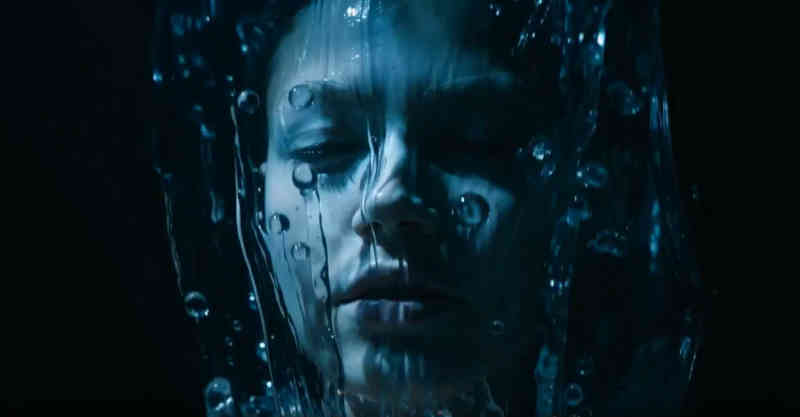
Built for film teams
One tool for directors, editors, agencies, and film teams
Script, storyboard, video, and sound live in one place. Try new versions of a shot without starting over, share a review link, and send the approved cut to your editor.
$1 today for 24 hoursThen from $27/mo unless you cancelReminder email ~6h before it ends