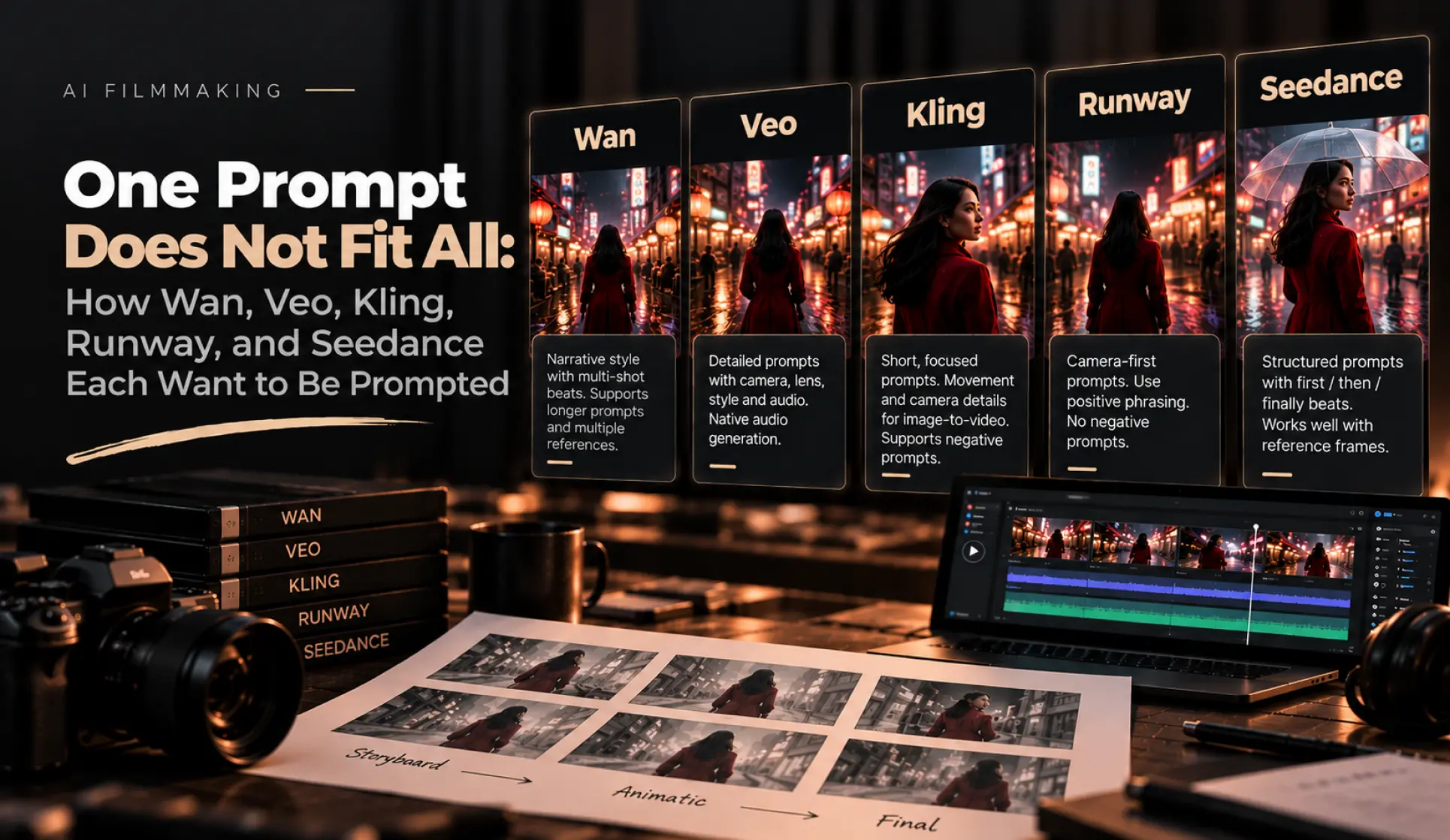
M Studio runs multiple AI video models behind one storyboard: Wan, Google Veo, Seedance, and Grok Video are live as providers today, and we have built and tested integrations for Kling and Runway as well. For a long time our pipeline did the obvious thing — assembled one motion prompt per shot and sent it to whichever model the user picked. While speccing the per-model prompt adapter we are building to replace that, we compiled every vendor's official prompting guidance side by side. The finding, in one sentence: these models have mutually contradictory prompting requirements, and a prompt that follows one vendor's guide actively violates another's.
No vendor publishes A/B numbers proving how much a "correct" prompt gains you — we checked. But every major vendor now ships its own prompt rewriter (Alibaba's prompt_extend, Kling's prompt optimization, Google's rewriting inside Flow), which tells you what they think of raw user prompts. If you learned to prompt on one model and carry those habits to another, this guide is the diff.
The contradictions, in one table
| Model | Wants | Negative prompts | References | Length discipline |
|---|---|---|---|---|
| Kling 2.x | Subject + movement + scene + camera + lighting + atmosphere | Yes — dedicated negative_prompt field |
"Elements" (2–4 images) + structured camera controls | 60–100 words for text-to-video, 15–40 words for image-to-video |
| Runway Gen-4 | [Camera] shot of [subject] [action] in [environment] |
None — unsupported. Rephrase as positives | @tag name references |
No cap; clarity over detail, one change per iteration |
| Google Veo 3.x | Subject → action → scene → camera → lens → style → audio → negative | On Vertex API only; on the Gemini API you must invert to positives | Up to 3 reference images | No hard cap; rewards progressive detail |
| Wan 2.x | Narrative sentences; multi-shot beats in one prompt | Yes — negative_prompt field |
[Image 1]-style tokens, up to 9 references |
Up to ~5,000 characters |
| Seedance 2.0 | Subject + motion + camera + environment + light + style; "first / then / finally" beats | Supported in-prompt | First frame, or first + last frame | Under ~250 words |
Read the negative-prompt column again. The same instinct — "no crowds, no text artifacts" — is a dedicated API field on Kling and Wan, a field that only exists on one of Veo's two API surfaces, and flatly unsupported on Runway, where the official guidance is to say clear blue sky instead of no clouds. One prompt string cannot satisfy that row.
The same shot, five ways
Here is one storyboard shot — a woman in a red coat walks through a rain-soaked night market as the camera pushes in — written the way each vendor's own documentation says to write it.
Kling (image-to-video). Kling's guide asks for movement and camera only when you start from an image — the image already contains the scene, and long scene description just gives the model contradictions to resolve. Two to four ideas maximum:
The woman walks forward through the market. Slow dolly-in. Rain continues falling, neon reflections shimmer on the wet ground.
Runway Gen-4. Camera first, direct register, no negatives, and Runway explicitly warns against conversational phrasing ("please make the camera…"). Their docs also recommend using the Camera Control feature instead of describing moves in text where possible:
Slow dolly-in shot of a woman in a red coat walking through a rain-soaked night market at night. Neon signs reflect off the wet pavement.
Veo 3.1. Veo's "anatomy of a prompt" ordering runs subject, action, scene, camera, lens, style — and then audio, because Veo generates sound natively and ignores none of it:
A woman in a red coat walks through a crowded night market in the rain. The camera slowly dollies in behind her. 35mm lens, shallow depth of field, neon signage reflecting in puddles, moody cinematic tone. Audio: rain on canvas awnings, distant market chatter, muffled synth music from a stall.
Wan 2.x. Wan reads long narrative prompts and multi-image references. The reference token syntax is positional — [Image 1] must be a noun phrase's anchor, 1-indexed against the media array you send:
[Image 1] the woman in the red coat walks through a rain-soaked night market. She passes food stalls lit by neon signs, their colors reflecting in puddles on the ground. The camera follows behind her and slowly pushes in as she moves deeper into the market. Cinematic lighting, shallow focus, rainy atmosphere.
Seedance 2.0. Seedance handles multi-shot narration natively and its docs recommend explicit beat words:
A woman in a red coat walks through a rainy night market. First, the camera tracks behind her past neon-lit stalls. Then it slowly pushes in as she stops and looks up at a flickering sign. Rain, reflections, cinematic color.
Same shot, five incompatible dialects. The Kling version would be an under-specified prompt on Veo; the Wan version would be noise on Kling's image-to-video endpoint; the Veo version's audio line does nothing on any model except Veo.
The details that actually bite
A few less-obvious rules from the vendor docs that we have hit in practice while integrating these models:
- Kling's word budgets are asymmetric. Text-to-video wants 60–100 words; image-to-video wants 15–40 describing only motion and camera. Sending your text-to-video prompt to the image-to-video endpoint is the single most common mistake, because most pipelines (ours included, until now) reuse the same string.
- Runway punishes negation everywhere, not just in a missing field: "no clouds" in prompt text tends to add clouds, per their own guide. Every constraint must be restated as what you want, not what you don't.
- Veo's dialogue syntax depends on which API you call. Colon syntax on Vertex, quoted lines on the Gemini API — same model family, different parsing. Its
[00:00–00:02]timestamp syntax is also the only first-class timing control in this group. - Wan defaults to a Chinese-language negative prompt under the hood, and its
prompt_extendrewriter will expand a terse prompt for you — which is great until it invents details that contradict your storyboard. - Seedance retains faces well from a first frame but its docs cap useful prompt length around 250 words; past that, later beats get dropped rather than compressed.
What to do with this
If you prompt these models by hand, keep a per-model cheat sheet — the table above is a reasonable start, and the linked vendor guides are the ground truth. Re-read them every model release; Kling 1.x and 2.x guidance differ, and Runway's Gen-3-era advice does not fully apply to Gen-4.
If you generate at any volume, encode the rules instead. This research is the build spec for the per-model prompt adapter we are adding to M Studio: the storyboard stores one canonical description of a shot — subject, action, scene, camera, lighting, audio intent — and the adapter compiles it into each model's dialect at generation time, moving negatives into fields where fields exist and inverting them into positives where they don't. That is also our advice if you are building your own pipeline: store intent, compile prompts. One string is never the right shape for five models.
Sources: Alibaba Model Studio — Wan text-to-video prompt guide, Google Cloud — Veo video generation prompt guide, Runway's Gen-4 Video Prompting Guide in the Runway Help Center, Kling AI's official text-to-video and image-to-video prompt guides at klingai.com, and ByteDance's Seedance prompt documentation on BytePlus ModelArk.