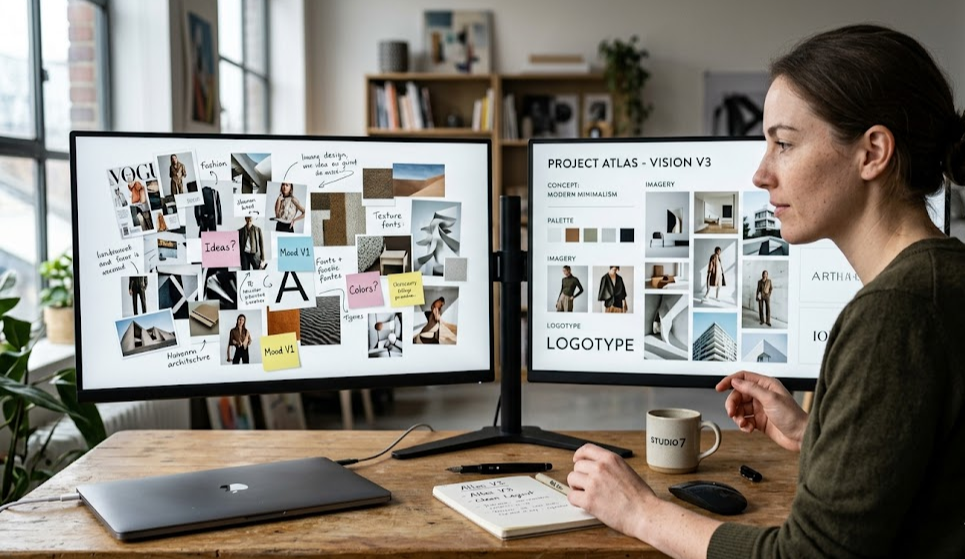
Adobe Firefly Boards launched globally in September 2025. It's genuinely impressive — a collaborative canvas where filmmakers can generate storyboards using Runway Aleph, Moonvalley, and Marey models, then push assets directly into Premiere Pro. Adobe's January 2026 Sundance survey even claimed 85% of festival filmmakers now use their tools.
So why are filmmakers looking for Adobe Firefly Boards alternatives?
Because Firefly Boards stops at the storyboard. It's a pre-production ideation tool that hands you a set of frames. What you do with those frames — rendering actual video, assembling a timeline, exporting to After Effects with proper layer structure — that's on you, and Premiere Pro is a $69.99/month Creative Cloud commitment away.
mstudio.ai is built for what comes after the storyboard.
Where Adobe Firefly Boards Stops
To be fair to Adobe: Firefly Boards does storyboarding well. The collaborative canvas, multi-model generation (Runway Aleph for reference-guided frames, Moonvalley for motion previews), and direct Premiere integration are all genuinely useful in pre-production. If you're already paying for Creative Cloud Pro, Firefly Boards costs you nothing extra.
But here's what it doesn't do:
- AI video generation from storyboard frames — Firefly Boards generates images and animatics, not rendered video clips. Video generation still requires jumping to separate tools.
- Full timeline assembly — You get a storyboard canvas, not a non-linear editor. The path from boards to finished cut involves Premiere, which is a separate workflow and skill set.
- After Effects export with layer structure — Premiere integration is there, but native AE composition export (with proper layer structure for compositing, VFX, and motion graphics) isn't part of Firefly Boards.
- Script-to-storyboard-to-film in one tool — Adobe's stack is powerful but fragmented. You need Firefly for generation, Premiere for editing, and AE for compositing. Three apps, three workflows.
For professional studios on full Creative Cloud plans, that fragmentation is manageable. For indie filmmakers, YouTube creators, and agencies, it's expensive and slow.
The mstudio.ai Alternative: Script to Finished Film
mstudio.ai is built around a single principle: the production layer that sits between AI generation and finished film shouldn't require three separate Adobe apps.
Here's what the workflow looks like:
Step 1: Script Input
Paste your script or treatment directly into mstudio.ai. The AI breaks it into scenes and generates storyboard frames — similar to what Firefly Boards does, but without requiring a Creative Cloud subscription.
Step 2: AI Video Generation
Unlike Firefly Boards, mstudio.ai generates actual video clips from your storyboard frames. Not animatics — rendered video. You can pick the model (WAN 2.1, Kling 3.0, or Sora 2 depending on your style requirements) and adjust motion intensity per scene.
Step 3: Timeline Assembly
Clips assemble into a timeline inside mstudio.ai. You trim, reorder, and set pacing without leaving the tool. This is the step Firefly Boards hands off to Premiere.
Step 4: After Effects Export
When the cut is ready, mstudio.ai exports an AE-compatible project file — not a flat video. Each scene comes through as a separate composition with the original AI-generated clip on its own layer. Add VFX, grade, composite, export. This is the AE sync feature that separates mstudio.ai from every other AI filmmaking tool on the market.
Side-by-Side Comparison
| Feature | Adobe Firefly Boards | mstudio.ai |
|---|---|---|
| Storyboard generation | ✅ (Runway Aleph, Moonvalley) | ✅ |
| AI video generation | ❌ (separate tools required) | ✅ (WAN 2.1, Kling 3.0, Sora 2) |
| Timeline editing | ❌ (Premiere required) | ✅ built-in |
| After Effects export | ❌ (Premiere only) | ✅ AE project with layers |
| Script input | ❌ | ✅ |
| Price | Included with Creative Cloud Pro ($69.99/mo) | Standalone — no CC required |
| Best for | Pre-production ideation | Full film production |
Who Should Use Firefly Boards vs mstudio.ai
Stick with Firefly Boards if:
- You're already on Creative Cloud Pro and use Premiere as your primary editor
- You work in a team that collaborates on storyboards before production begins
- You mainly need ideation assets — mood boards, style frames, presentation decks
Switch to mstudio.ai if:
- You want to go from script to finished film in a single tool
- You use After Effects for compositing and need proper layer export
- You're an indie filmmaker, agency, or solo creator who doesn't want to pay for Creative Cloud
- You need actual video clips from your storyboards, not just frames and animatics
The Production Layer Gap
The honest framing: Adobe Firefly Boards and mstudio.ai aren't competing for the same moment in the filmmaking workflow. Firefly Boards is a pre-production ideation tool. mstudio.ai is a production tool that starts where ideation ends.
The gap that filmmakers hit is this: after Firefly Boards gives you beautiful storyboard frames, there's no automated path to rendered video, no timeline to assemble your film, and no AE project to drop into compositing. That gap costs time — and if you're renting Premiere and AE on top of Firefly Boards, it costs money too.
mstudio.ai closes that gap. Not by replacing Adobe's pre-production tools, but by picking up the production workflow from the storyboard stage and carrying it through to a finished, editable film.
Try mstudio.ai Free
Script to storyboard to finished film — no Creative Cloud subscription required.
Start Your First Film →