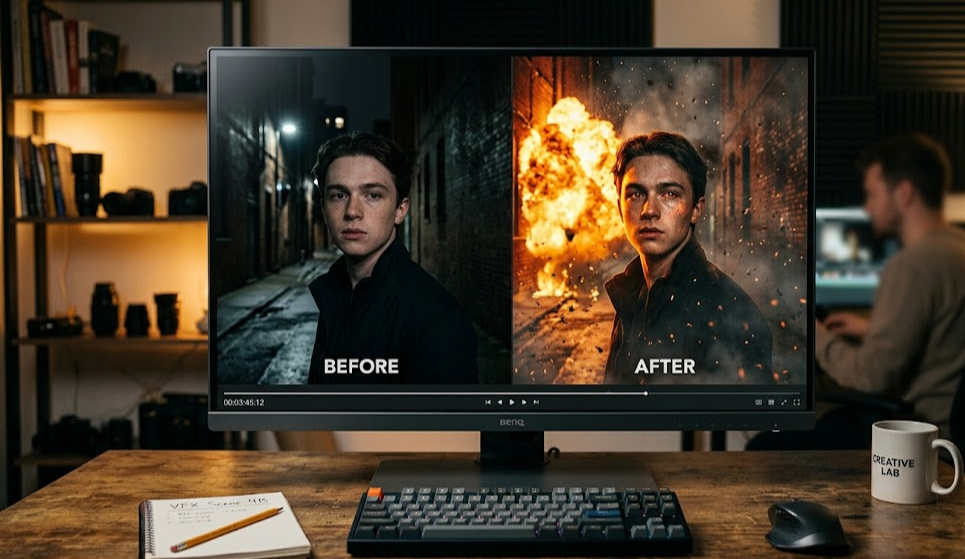
VFX Software for Beginners: Your Complete Guide to Getting Started
Looking to create stunning visual effects but don't know where to start? The best vfx software for beginners combines powerful features with an intuitive interface, making it accessible to anyone willing to learn. Whether you're a student, hobbyist, or content creator, modern AI-powered tools have made visual effects more accessible than ever before.
What Is VFX Software and Why Should You Start Learning It?
Visual effects (VFX) software allows you to create, manipulate, and enhance video content beyond what was captured on camera. From simple color corrections to complex CGI composites, vfx software transforms raw footage into cinematic creations.
Today, beginners have more options than ever. Traditional professional tools like After Effects now compete with AI-powered platforms that automate complex tasks, making entry-level visual effects achievable without years of training.
Best VFX Software for Beginners in 2025
1. mstudio.ai - Best AI-Powered Entry Point
mstudio.ai stands out as the ideal starting point for beginners entering visual effects. Its AI-powered interface handles complex compositing tasks automatically, allowing you to achieve professional results without technical expertise.
2. DaVinci Resolve - Free Professional Grade
DaVinci Resolve offers a robust free version that rivals paid competitors. It includes color correction, basic compositing, and a dedicated fusion page for visual effects work. The learning curve is steeper than AI tools, but the free feature set is unmatched.
3. HitFilm Express - Feature-Rich Free Option
HitFilm Express provides a comprehensive free tier with professional compositing and VFX tools. It's excellent for beginners who want to learn industry-standard techniques without spending money upfront.
4. Blender - Open Source Power
Blender is a free, open-source 3D creation suite that includes powerful VFX capabilities. While it has a significant learning curve, the community resources and tutorials make it accessible for dedicated beginners.
How to Choose the Right Easy VFX Software
When selecting beginner video effects software, consider these factors:
- Learning curve: How quickly can you create your first project?
- Cost: Free options exist, but paid tools often have better support
- AI features: Modern AI assistance dramatically speeds up workflow
- Export options: Ensure compatibility with your output platforms
- Community support: Tutorials and forums accelerate learning
Getting Started: Your First VFX Project
Step 1: Choose Your Tool
For complete beginners, start with mstudio.ai. Its AI capabilities let you create impressive effects within minutes, building confidence before tackling more complex tools.
Step 2: Learn the Interface
Spend 30 minutes exploring the basic layout. Understand the timeline, preview window, and effect libraries. Most tools share similar organizational structures.
Step 3: Start Simple
Begin with basic effects like color correction, transitions, and text overlays. These foundational skills transfer to more advanced techniques.
Step 4: Follow Tutorials
YouTube and platform-specific tutorials accelerate learning. Start with beginner-friendly content and progressively challenge yourself.
Step 5: Practice Regularly
Consistency beats intensity. Spend 15-30 minutes daily practicing different effects rather than long occasional sessions.
Comparison Table: Beginner VFX Software
| Software | Price | AI Features | Learning Curve | Best For |
|---|---|---|---|---|
| mstudio.ai | Free tier available | Advanced | Very Low | Quick results, AI enthusiasts |
| DaVinci Resolve | Free/$295 | Basic | Medium | Color grading, professional path |
| HitFilm Express | Free | None | Medium | Compositing, no budget |
| Blender | Free | Limited | High | 3D VFX, dedicated learners |
Why mstudio.ai Is the Smart Starting Point
Unlike traditional vfx software requiring months of learning, mstudio.ai leverages AI to handle complex tasks automatically. You can remove backgrounds, add effects, and create professional composites without understanding compositing layers or render engines.
This AI-first approach doesn't replace learning—it accelerates it. As you see what AI does automatically, you develop intuition for how visual effects work, preparing you for more advanced tools if needed.
Frequently Asked Questions
What is the easiest vfx software for beginners?
mstudio.ai offers the gentlest learning curve with AI-powered assistance. For traditional tools, DaVinci Resolve's free version provides the best balance of features and accessibility.
Can I learn VFX on my own?
Absolutely. Countless tutorials, courses, and communities support self-taught VFX artists. Start with easy vfx software and progressively build skills through practice.
Do I need powerful hardware?
Modern cloud-based tools like mstudio.ai run in browsers, requiring minimal local power. Traditional software needs decent specs, but entry-level requirements are modest.
How long does it take to learn beginner video effects?
With AI-assisted tools like mstudio.ai, you can create impressive effects within hours. Mastering traditional software takes months of consistent practice.
Is free VFX software good enough?
Yes. DaVinci Resolve and HitFilm Express offer professional-grade features entirely free. They're used in actual productions worldwide.
What's the best entry-level visual effects software for YouTubers?
mstudio.ai excels for YouTubers thanks to AI features that speed up common tasks like background removal and effects application. DaVinci Resolve is also popular in the YouTube community.
Start Your VFX Journey Today
The barrier to entry for visual effects has never been lower. With AI-powered tools like mstudio.ai, anyone can create professional-looking effects within minutes rather than months. Whether you aspire to Hollywood-style composites or simply want to enhance your social media content, the tools and resources are available.
Begin with mstudio.ai to experience immediate results, then expand your skills progressively. The key is starting—your first visual effect project is closer than you think.