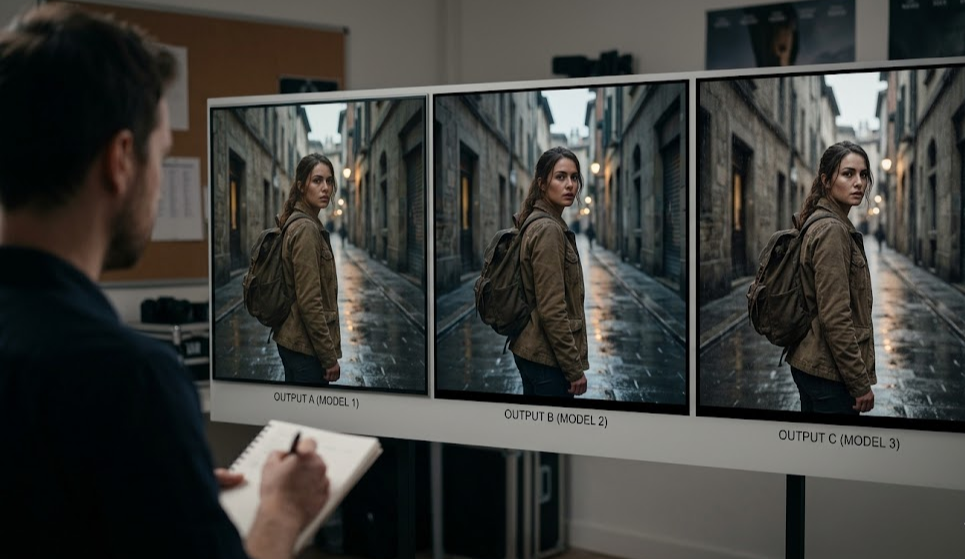
Three AI video models are fighting for the top spot in 2026: WAN 2.1, Kling 3.0, and Sora 2. Every filmmaker using AI tools has asked the same question: which one should I actually use?
The honest answer? It depends on what you're making. Each model has genuine strengths — and genuine blind spots. This comparison breaks down what matters for real filmmaking workflows, not just benchmark scores.
WAN 2.1: The Open-Source Powerhouse
WAN 2.1 (Wan-Video 2.1) is the strongest open-source AI video model available today. Released by Alibaba's Wan team, it runs locally or via API and supports both text-to-video and image-to-video generation.
Strengths
- Open weights: Download and run locally on an RTX 3090 or higher — no monthly subscription required
- Motion quality: Fluid, natural movement that handles complex scenes well
- API access: Available through ModelsLab, Replicate, and fal.ai — integrate directly into your production pipeline
- Customization: Fine-tune on your own footage for character or style consistency
- 720p output at 16:9 — solid for web and social distribution
Limitations
- 720p max resolution (Kling and Sora both offer 1080p)
- Clip length capped at ~5-6 seconds per generation
- Requires more prompt engineering than commercial models
Best for: Developers building AI video pipelines, filmmakers who want API control, anyone who needs to run inference at scale without per-clip fees.
Kling 3.0: The Character Consistency Champion
Kling 3.0 from Kuaishou is the current gold standard for character consistency in AI video. If you're working with recurring characters across scenes — a short film, a series, branded content — Kling holds faces and poses better than any other model.
Strengths
- Character consistency: Unmatched for keeping the same subject across multiple clips
- 1080p output — highest resolution of the three
- 10-second clips — longest single generation window
- Camera controls: Kling 3.0 supports cinematic camera moves (pan, dolly, orbit) via prompt
- Audio sync: New in Kling 3.0 — basic lip sync and audio-reactive motion
Limitations
- Subscription-based pricing ($66-$276/month) — expensive at scale
- API access is limited and rate-restricted
- Less flexibility for abstract or non-character scenes compared to WAN 2.1
Best for: Narrative short films, character-driven content, branded video series, social content where you need the same face across multiple clips.
Sora 2: The Cinematic Realism Leader
OpenAI's Sora 2 produces the most photorealistic output of the three. Complex environments, realistic lighting, and physics-aware motion are where Sora 2 genuinely excels. The catch: it's locked behind ChatGPT Pro and has no developer API yet.
Strengths
- Photorealism: Best-in-class for realistic environments, outdoor scenes, architectural shots
- Physics simulation: Water, fire, fabric, and complex interactions render more accurately than competitors
- 1080p at 20 seconds — longest high-resolution output window
- Storyboard mode: String prompts together in Sora's web interface
Limitations
- No API: You can't integrate Sora 2 into a production pipeline — it's web-only
- ChatGPT Pro required ($200/month) — and usage is capped
- Character consistency is weaker than Kling 3.0
- No fine-tuning or style transfer
Best for: High-end commercial work, environment/landscape shots, one-off cinematic scenes where realism matters more than workflow integration.
Head-to-Head Comparison
| Feature | WAN 2.1 | Kling 3.0 | Sora 2 |
|---|---|---|---|
| Max Resolution | 720p | 1080p | 1080p |
| Max Clip Length | 6 seconds | 10 seconds | 20 seconds |
| Character Consistency | Good | Best | Average |
| Photorealism | Good | Very Good | Best |
| API Access | ✅ Full API | ⚠️ Limited | ❌ Web only |
| Open Source | ✅ Yes | ❌ No | ❌ No |
| Pricing | Per-clip API | $66-276/mo | $200/mo (Pro) |
The Real Problem: You Need All Three
Here's what most AI filmmakers discover after a few projects: no single model handles every shot perfectly.
- Open with a sweeping landscape? Sora 2.
- Close-up of your lead character? Kling 3.0 for consistency.
- Quick cutaways, action sequences, experimental shots? WAN 2.1 via API for speed and cost.
The manual workflow is brutal: generate in Sora's web UI → download → generate in Kling → download → run WAN 2.1 locally → import everything into After Effects → stitch. For a 3-minute short, that's hours of clip management before you even start editing.
How mstudio.ai Fixes the Multi-Model Workflow
mstudio.ai is built for exactly this problem. Instead of managing three separate tools and a folder of MP4s, you work in a single timeline that connects to multiple AI models.
- Model switching per shot: Use WAN 2.1 for action clips, Kling for character shots — all within one project
- Timeline editor: Arrange shots, add transitions, sync audio — no After Effects required
- BGM and SFX: Add music and sound effects directly in the platform
- Export full-length video: Output complete films (not just 6-second clips) ready to publish
For filmmakers in Europe (particularly Germany, where AI filmmaking communities are growing fast), mstudio.ai means the production workflow that previously required a studio setup now runs entirely in the browser.
Bottom line: WAN 2.1, Kling 3.0, and Sora 2 are all excellent — for specific shots. mstudio.ai is the layer that turns individual clips into a complete film.
Getting Started
If you're just starting out with AI filmmaking:
- Start with WAN 2.1 via ModelsLab API to test your prompts cheaply
- Upgrade to Kling 3.0 for scenes with recurring characters
- Use Sora 2 selectively for hero shots where realism matters most
- Bring everything together in mstudio.ai to cut, score, and export your final film
The AI filmmaking stack isn't one tool — it's a workflow. And that workflow needs a studio.