Mise en scène (French for 'placing on stage') refers to everything that appears within the frame of a shot: set design, lighting, costumes, makeup, actor positioning (blocking), props, and color. It is the director's tool for communicating mood, character, theme, and narrative information visually, without relying on dialogue or editing. Mastering mise en scène means controlling every visible element so that every frame tells a story on its own. Understanding this concept helps you create richer storyboard prompts in M Studio, where describing environmental details, lighting, and staging produces more intentional frames.
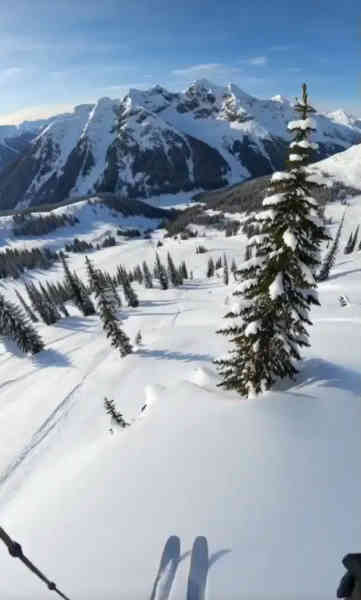
Mise en Scène.Everything the Camera Sees, Curated.
Mise en scène (French for 'placing on stage') refers to everything that appears within the frame of a shot: set design, lighting, costumes, makeup, actor positioning (blocking), props, and color.
In practice
How “Mise en Scène” shows up on screen
Visual samples from M Studio.

Script → board
From script to screen in six steps
Studio builds a film shot by shot, and you direct every frame — this is the whole path, start to finish.
- 01
Create a project
Start from a one-line brief, or import a screenplay PDF and build straight from the pages you already wrote.
- 02
Add your script
Scenes, action and dialogue laid out shot by shot — editable line by line before anything renders.
- 03
Add your characters
Add each character once with a reference image so the same face carries across every shot in the film.
- 04
Build the storyboard
Your script breaks into frames on a canvas. Reorder, reframe and re-prompt any shot until the board reads right.
- 05
Generate the video
Turn approved frames into motion one shot at a time, then layer voiceover, music and sound effects.
- 06
Export the cut
Take the finished sequence out as an mp4, mov or webm, ready for the edit or the pitch.
There is no length cap in the editor. Because films are assembled shot by shot, how long a piece can run comes down to how many clips your plan includes — not a limit in the tool.
FAQ
Common questions about mise en scène
It is pronounced 'meez on sen' with a soft, nasalized final syllable. The term comes from French theater and literally translates to 'placing on stage' or 'staging.'
Mise en scène refers to what is placed in front of the camera: sets, lighting, costumes, actors, and props. Cinematography refers to how the camera captures those elements: lens choice, focus, exposure, camera movement, and framing. Both work together to create the final image.
When you design a storyboard panel, you are defining the mise en scène for that shot. Specifying the environment, lighting, character positions, and key props in your storyboard ensures the production team understands exactly what needs to be in the frame when the camera rolls.
Related Terms
Explore related concepts
Film Composition
Film composition refers to the deliberate arrangement of visual elements within the camera frame, including subject placement, leading lines, depth, balance, color, and negative space.
Read definitionColor Grading
Color grading is the process of adjusting and enhancing the color, contrast, and tonal qualities of a film or video in post-production.
Read definitionCamera Angles in Film
Camera angles describe the vertical and horizontal position of the camera relative to the subject.
Read definitionDirector's Vision
A director's vision is the unified creative concept that guides all artistic decisions in a film or video production, from visual style and tone to performance approach and thematic emphasis.
Read definitionVisual Storytelling
Visual storytelling is the practice of conveying narrative, emotion, and meaning through images, composition, color, movement, and sequencing rather than through dialogue or text alone.
Read definitionPre-Production
Pre-production is the planning phase of a film, video, or media project that occurs before cameras roll.
Read definitionM Studio Features
Put this into practice

From Learning to Creating
Ready to bring these concepts to life?
M Studio combines AI storyboarding, script generation, and video production in a single workspace.
Plans from $27/mo100% refund within 24hCancel anytime
