Glossary

Shot Types in Film.Every Frame Tells a Different Story.

Shot types refer to the different ways a camera frames a subject, ranging from extreme wide shots that establish geography to extreme close-ups that capture subtle emotion.

Definition

Shot types refer to the different ways a camera frames a subject, ranging from extreme wide shots that establish geography to extreme close-ups that capture subtle emotion. Understanding shot types is fundamental to visual storytelling because each framing choice shapes how the audience perceives scale, intimacy, power, and narrative focus. When building storyboards in M Studio, specifying shot types in your prompts ensures AI-generated frames match your directorial intent.
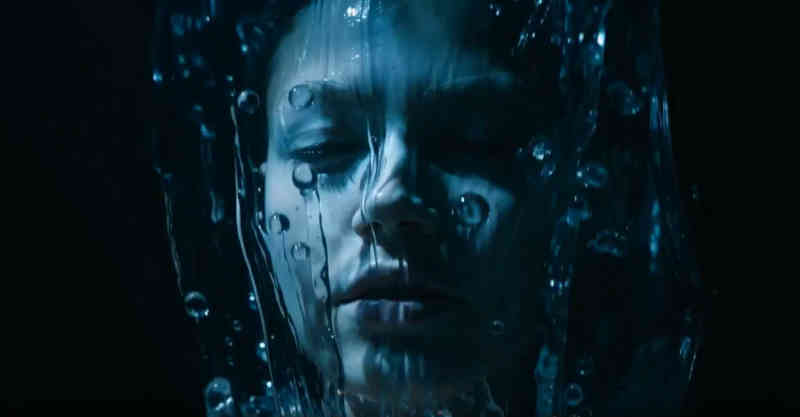

In practice

How “Shot Types in Film” shows up on screen

Visual samples from M Studio.

Script → board
Clip 1 / 6

Script → board

Section 01

Shot Types as AI Prompts in mStudio

Shot types and the AI prompt phrases that produce them reliably in mStudio
Shot TypeAbbreviationPrompt PhraseSubject Fills FrameBest For
Extreme Wide ShotEWS"extreme wide shot, establishing landscape, tiny subject in frame"1-5%Establishing geography, isolation
Wide ShotWS"wide shot, full body visible, subject with environmental context"15-30%Action coverage, location establishment
Medium Wide ShotMWS"medium wide shot, knees up, subject and immediate surroundings"30-50%Two-shots, group scenes
Medium ShotMS"medium shot, waist up, subject centered with limited background"50-70%Dialogue, default coverage
Medium Close-UpMCU"medium close-up, chest up, shoulders visible"60-75%Interview-style shots
Close-UpCU"close-up, head and shoulders, emotion visible in face"70-85%Reaction shots, emotional beats
Extreme Close-UpECU"extreme close-up, eyes only, subject fills frame"85-100%Peak intensity, key detail
Over-the-ShoulderOTS"over the shoulder shot, foreground subject back of head, background subject in focus"variesDialogue coverage
Two Shot2S"two shot, both subjects in frame, shoulder to shoulder"variesConversation, relationship dynamics
Insert ShotINS"insert shot, close-up of object or detail, no subject face"variesShowing props, documents, objects
How it works

From script to screen in six steps

Studio builds a film shot by shot, and you direct every frame — this is the whole path, start to finish.

  1. 01

    Create a project

    Start from a one-line brief, or import a screenplay PDF and build straight from the pages you already wrote.

  2. 02

    Add your script

    Scenes, action and dialogue laid out shot by shot — editable line by line before anything renders.

  3. 03

    Add your characters

    Add each character once with a reference image so the same face carries across every shot in the film.

  4. 04

    Build the storyboard

    Your script breaks into frames on a canvas. Reorder, reframe and re-prompt any shot until the board reads right.

  5. 05

    Generate the video

    Turn approved frames into motion one shot at a time, then layer voiceover, music and sound effects.

  6. 06

    Export the cut

    Take the finished sequence out as an mp4, mov or webm, ready for the edit or the pitch.

There is no length cap in the editor. Because films are assembled shot by shot, how long a piece can run comes down to how many clips your plan includes — not a limit in the tool.

FAQ

Common questions about shot types in film

The medium shot is generally considered the most frequently used framing in narrative filmmaking because it balances character expression with spatial context. It is the default framing for dialogue scenes and works well across genres.

Wider shots create emotional distance and objectivity, while tighter shots build intimacy and intensity. A close-up of a character crying lands harder than the same performance in a wide shot because the audience is forced to confront the emotion directly.

Yes. Storyboarding is the ideal time to plan shot types because changes are free at this stage. Specifying shots during pre-production ensures the cinematographer, director, and editor are aligned before the shoot begins.

Shot type describes the framing distance between camera and subject (wide, medium, close-up), while camera angle describes the vertical position of the camera relative to the subject (high angle, low angle, eye level). Both work together to shape the visual meaning of a shot.

Cinematic storyboard preview

From Learning to Creating

Ready to bring these concepts to life?

M Studio combines AI storyboarding, script generation, and video production in a single workspace.

Plans from $27/mo100% refund within 24hCancel anytime