
Glossary

Pre-Visualization.See the Film Before You Shoot It.

Definition

Pre-visualization (previs) is the process of creating rough 3D animated versions of scenes before production begins, allowing directors and cinematographers to plan camera placement, blocking, timing, and visual effects integration. More detailed than storyboards or animatics, previs uses simplified 3D models and environments to simulate how shots will look and move in three-dimensional space. Originally developed for VFX-heavy blockbusters, previs is now increasingly accessible to productions of all sizes through game engines and AI tools. M Studio's storyboard-to-video workflow offers a lightweight form of previs, generating moving reference imagery from your visual boards.

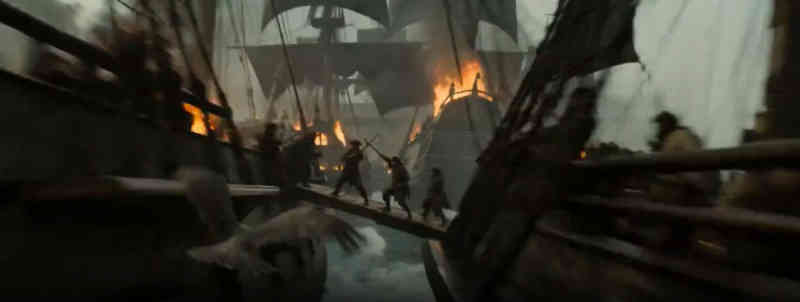
Levels of Pre-Visualization

Pitchvis

Low-fidelity previs created early in development to pitch concepts to studios or investors. Rough 3D animations that communicate the vision of a project without requiring a final script or locked creative decisions.

Previs (Standard)

Working previs created during pre-production using simplified 3D models, environments, and camera rigs. Establishes shot composition, camera movement, blocking, and timing for complex sequences. The primary communication tool between director and VFX teams.

Techvis

Technical pre-visualization that provides precise measurements for on-set execution: exact camera positions, lens specifications, lighting angles, and rigging requirements. Translates creative previs into actionable production data.

Postvis

Temporary visual effects composited into edited footage after shooting but before final VFX are complete. Postvis helps directors and editors evaluate scenes with placeholder effects, ensuring the edit works before committing to final VFX rendering.

Previs in Major Productions

The modern previs discipline was largely pioneered on films like Star Wars: Episode I and The Lord of the Rings, where the complexity of VFX shots required detailed planning that static storyboards could not provide. Today, virtually every blockbuster film uses extensive previs.

Studios like The Third Floor and Halon Entertainment have built entire businesses around previs services. Their teams work alongside directors for months, iterating on sequences until every shot is planned in three-dimensional space with accurate timing and camera work.

Previs has proven its value by preventing costly mistakes. Planning a complex action sequence in previs costs a fraction of discovering that a camera angle does not work when 200 crew members are standing on set waiting.

Accessible Previs for Independent Filmmakers

Game engines like Unreal Engine and Unity have democratized previs by providing real-time 3D environments that anyone can use. Virtual production tools, originally built for major studios, are becoming accessible to independent filmmakers.

AI-powered tools are further lowering the barrier. Instead of building 3D environments from scratch, filmmakers can generate reference imagery and rough motion from text descriptions, achieving many of the planning benefits of traditional previs at a fraction of the time and cost.

FAQ

Common questions about pre-visualization (previs)

What is the difference between previs and storyboarding?

Storyboards are static 2D illustrations. Previs is animated 3D simulation. Storyboards show composition and sequence. Previs adds camera movement, precise timing, spatial relationships, and the ability to explore shots from any angle. They serve similar planning purposes but previs provides more information for complex sequences.

Do I need previs for my project?

Full 3D previs is most valuable for VFX-heavy, action-intensive, or logistically complex sequences. Many projects are well-served by storyboards and animatics. If you need to plan precise camera movements through 3D space, coordinate multiple moving elements, or communicate VFX shots to a team, previs becomes worthwhile.

What software is used for previs?

Professional previs houses commonly use Maya, Unreal Engine, and proprietary tools. More accessible options include Blender (free), Unreal Engine (free for pre-production), and various specialized previs applications. AI storyboarding tools like M Studio offer lightweight previs capabilities through text-to-video generation.

Ready to bring these concepts to life?

M Studio combines AI storyboarding, script generation, and video production in a single workspace.