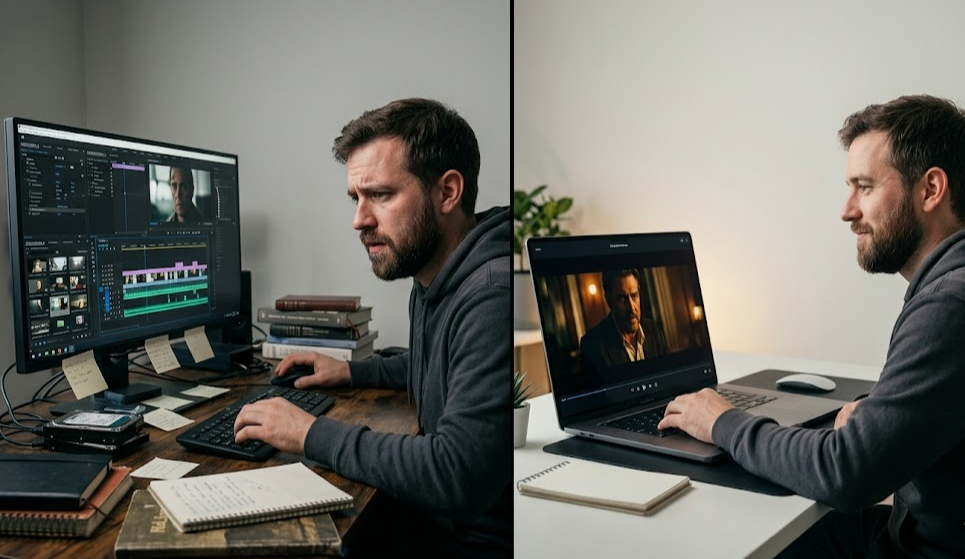
You've been making AI films the hard way. Here's what that looks like: you open Runway, generate a 10-second shot. Download the MP4. Open Kling, generate another clip. Download that one too. Switch to After Effects, import both files, manually sync them on the timeline. Realize the color grades don't match. Fix that. Add a music track. Export. Repeat this for every scene in your film.
That workflow is broken. It was designed for traditional footage, not AI-generated clips. And yet thousands of filmmakers are stuck doing exactly this — downloading individual MP4s and stitching them together in software that wasn't built for AI filmmaking.
mstudio.ai was built to fix this.
Why AI Filmmaking Has a Workflow Problem
The AI video generation space has exploded. Runway ML, Kling, Pika, Sora, Luma Dream Machine — you now have access to models that can generate cinematic footage from a text prompt. The problem isn't generation quality anymore. The problem is everything that comes after generation.
Real films aren't single 15-second clips. They're dozens or hundreds of shots, cut together, with music, sound effects, voiceovers, and color consistency. The AI generators handle the individual shots. Nobody handles the production layer — until now.
The result is a workflow that looks like this:
- Generate clip in Runway → download → import to Premiere
- Generate clip in Kling → download → import to Premiere
- Realize you need a different shot → back to the generator
- Try to maintain consistent style across multiple AI models
- Add music manually, SFX manually, color grade manually
- Export — then realize a clip needs to be regenerated
- Start over
This isn't a creativity problem. It's an infrastructure problem. And it's costing AI filmmakers hours on every project.
What an AI-Native Filmmaking Studio Actually Looks Like
mstudio.ai is an AI-native production platform — think of it as what After Effects would look like if it was designed from scratch for AI-generated footage rather than traditional video.
Instead of connecting to one AI model, mstudio connects to all of them. Runway, Kling, Pika, Luma, Sora — you can orchestrate multiple AI video models from a single interface. Generate a shot in Runway, generate the next shot in Kling, pull them into the same timeline without ever leaving the platform or downloading a file.
The production suite includes:
- Multi-model orchestration: Use the best AI model for each shot. Wide establishing shot in Sora. Close-up dialogue in Runway. Action sequence in Kling. All in one project.
- Timeline editing: Native timeline for sequencing AI-generated clips — built for AI footage, not retrofitted from traditional NLEs.
- BGM and SFX: Add background music and sound effects directly in the platform. No external DAW required.
- Full-length export: Export complete films — not just 15-second clips. Hour-long productions are fully supported.
- Consistent visual style: Maintain stylistic consistency across shots from different AI models.
How to Make Your First AI Film in mstudio
The workflow is designed to be fast. Here's how a typical short film comes together:
Step 1: Start with Your Script or Concept
mstudio starts from your story. You don't need a full screenplay — a scene-by-scene breakdown works. The platform helps you map your narrative into shots before you generate anything.
Step 2: Choose Your AI Models
Different shots call for different AI models. Landscape shots often look best in Sora or Luma. Character-driven close-ups work well in Runway. Fast-cut action sequences can shine in Kling. mstudio lets you assign models to shots based on what works best — without juggling multiple browser tabs.
Step 3: Generate and Iterate in One Place
Generate your shots directly inside mstudio. If a clip isn't right, regenerate it without breaking your workflow. All your generated clips stay organized in the project — no hunting through downloads folders.
Step 4: Edit the Timeline
Drag clips onto the native timeline. Trim, reorder, adjust pacing. This is where mstudio separates itself from every other AI video tool — you have a real editing timeline, not just a clip generator.
Step 5: Add Music and Sound
Add BGM and SFX directly in the platform. Sync audio to your cuts. No Audacity, no separate DAW session.
Step 6: Export Your Film
Export the finished production. Full-length, broadcast-quality output. What used to take a day of After Effects work takes an afternoon in mstudio.
Who mstudio Is Built For
If you're already generating AI video clips and feel the pain of stitching them together, mstudio is built for you.
Independent filmmakers who want to produce short films or content without a full production team. mstudio removes the need for a dedicated editor and post-production pipeline.
Content creators who are producing AI-generated video series on YouTube or social platforms and need to scale output without scaling time.
Video editors who want to integrate AI generation into their existing workflow without disrupting everything they know about timeline editing.
Production studios using AI for pre-visualization or rapid concept development. mstudio accelerates the pitch-to-production process.
The Difference Between a Video Generator and a Filmmaking Studio
This distinction matters. Runway is a video generator. Kling is a video generator. Pika is a video generator. These tools are extraordinarily good at what they do — turning prompts into short video clips.
But a generator is not a studio. A studio is where those clips become a film.
mstudio is the studio. It sits above the generators and handles everything they don't: sequencing, editing, audio, and final export. You still use your favorite AI models to generate footage. mstudio is where you make something with that footage.
Stop downloading MP4s. Stop opening After Effects for AI clips. Start in mstudio, finish in mstudio, export a film.
Getting Started
mstudio.ai is currently in limited beta with access open to filmmakers. The platform is free to start — no credit card required. If you've been generating AI video clips and hitting the production wall, this is the tool that removes it.